


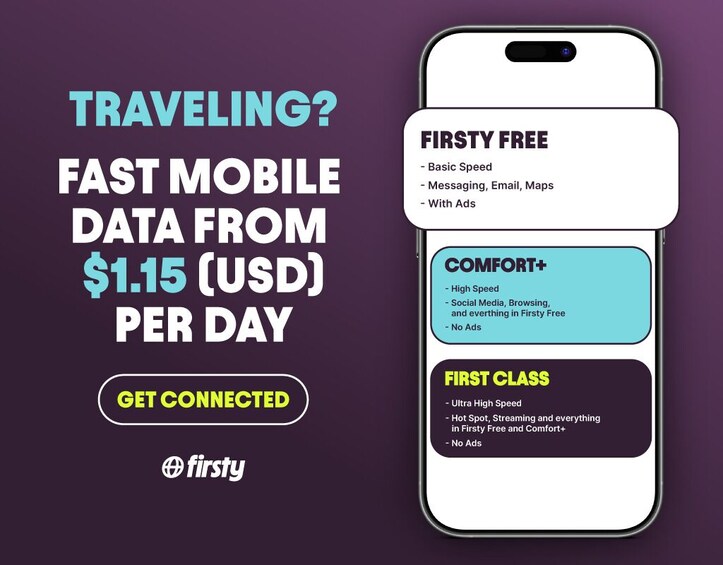
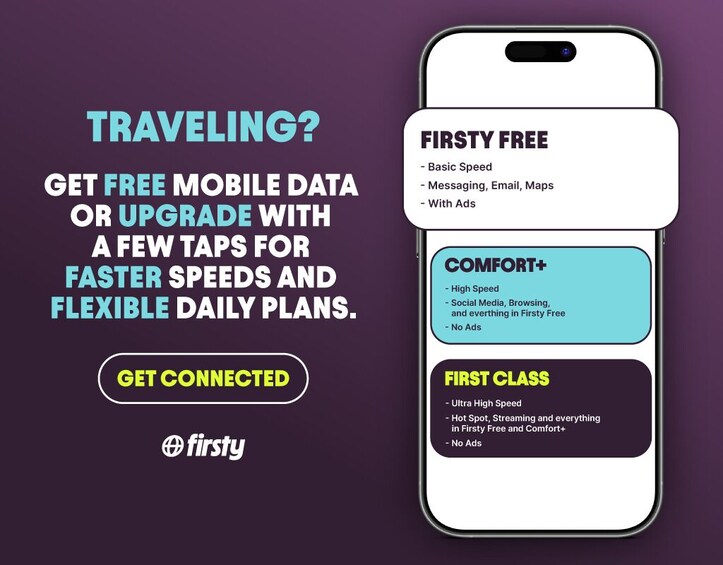



Singapore: Firsty eSim - Free Roaming Mobile Data
Features
Overview
Activity location
Meeting/Redemption Point
Check availability
Comfort Plus + 5 Days
eSIM Activation Guide:
For iOS:
• Download the Firsty app.
• Sign up or log in.
• Select your plan, destination, and travel days.
• Redeem using your GlobalTix voucher.
• Follow the prompts to install and activate the eSIM.
• In Settings, set Mobile Data to Firsty and enable Data Roaming.
For Android:
• Download the Firsty app.
• Sign up or log in.
• Select your plan, destination, and travel days.
• Redeem using your GlobalTix voucher.
• Follow the in-app guide to install the eSIM.
• Go to Settings, activate the Firsty eSIM, set it as Mobile Data, and turn on Data Roaming.
Comfort Plus + 10 Days
eSIM Activation Guide:
For iOS:
• Download the Firsty app.
• Sign up or log in.
• Select your plan, destination, and travel days.
• Redeem using your GlobalTix voucher.
• Follow the prompts to install and activate the eSIM.
• In Settings, set Mobile Data to Firsty and enable Data Roaming.
For Android:
• Download the Firsty app.
• Sign up or log in.
• Select your plan, destination, and travel days.
• Redeem using your GlobalTix voucher.
• Follow the in-app guide to install the eSIM.
• Go to Settings, activate the Firsty eSIM, set it as Mobile Data, and turn on Data Roaming.
First Class + 5 Days
eSIM Activation Guide:
For iOS:
• Download the Firsty app.
• Sign up or log in.
• Select your plan, destination, and travel days.
• Redeem using your GlobalTix voucher.
• Follow the prompts to install and activate the eSIM.
• In Settings, set Mobile Data to Firsty and enable Data Roaming.
For Android:
• Download the Firsty app.
• Sign up or log in.
• Select your plan, destination, and travel days.
• Redeem using your GlobalTix voucher.
• Follow the in-app guide to install the eSIM.
• Go to Settings, activate the Firsty eSIM, set it as Mobile Data, and turn on Data Roaming.
Comfort Plus + 15 Days
eSIM Activation Guide:
For iOS:
• Download the Firsty app.
• Sign up or log in.
• Select your plan, destination, and travel days.
• Redeem using your GlobalTix voucher.
• Follow the prompts to install and activate the eSIM.
• In Settings, set Mobile Data to Firsty and enable Data Roaming.
For Android:
• Download the Firsty app.
• Sign up or log in.
• Select your plan, destination, and travel days.
• Redeem using your GlobalTix voucher.
• Follow the in-app guide to install the eSIM.
• Go to Settings, activate the Firsty eSIM, set it as Mobile Data, and turn on Data Roaming.
Comfort Plus + 30 Days
eSIM Activation Guide:
For iOS:
• Download the Firsty app.
• Sign up or log in.
• Select your plan, destination, and travel days.
• Redeem using your GlobalTix voucher.
• Follow the prompts to install and activate the eSIM.
• In Settings, set Mobile Data to Firsty and enable Data Roaming.
For Android:
• Download the Firsty app.
• Sign up or log in.
• Select your plan, destination, and travel days.
• Redeem using your GlobalTix voucher.
• Follow the in-app guide to install the eSIM.
• Go to Settings, activate the Firsty eSIM, set it as Mobile Data, and turn on Data Roaming.
First Class + 10 Days
eSIM Activation Guide:
For iOS:
• Download the Firsty app.
• Sign up or log in.
• Select your plan, destination, and travel days.
• Redeem using your GlobalTix voucher.
• Follow the prompts to install and activate the eSIM.
• In Settings, set Mobile Data to Firsty and enable Data Roaming.
For Android:
• Download the Firsty app.
• Sign up or log in.
• Select your plan, destination, and travel days.
• Redeem using your GlobalTix voucher.
• Follow the in-app guide to install the eSIM.
• Go to Settings, activate the Firsty eSIM, set it as Mobile Data, and turn on Data Roaming.
First Class + 15 Days
eSIM Activation Guide:
For iOS:
• Download the Firsty app.
• Sign up or log in.
• Select your plan, destination, and travel days.
• Redeem using your GlobalTix voucher.
• Follow the prompts to install and activate the eSIM.
• In Settings, set Mobile Data to Firsty and enable Data Roaming.
For Android:
• Download the Firsty app.
• Sign up or log in.
• Select your plan, destination, and travel days.
• Redeem using your GlobalTix voucher.
• Follow the in-app guide to install the eSIM.
• Go to Settings, activate the Firsty eSIM, set it as Mobile Data, and turn on Data Roaming.
First Class + 30 Days
eSIM Activation Guide:
For iOS:
• Download the Firsty app.
• Sign up or log in.
• Select your plan, destination, and travel days.
• Redeem using your GlobalTix voucher.
• Follow the prompts to install and activate the eSIM.
• In Settings, set Mobile Data to Firsty and enable Data Roaming.
For Android:
• Download the Firsty app.
• Sign up or log in.
• Select your plan, destination, and travel days.
• Redeem using your GlobalTix voucher.
• Follow the in-app guide to install the eSIM.
• Go to Settings, activate the Firsty eSIM, set it as Mobile Data, and turn on Data Roaming.
What's included, what's not
Know before you book
- To use Firsty, register through the Firsty app or an official partner using valid details. You must have an unlocked, eSIM-compatible device with internet access.
- The Firsty app and eSIM installation are free, but you’ll need a stable internet connection to complete setup.
- Daily data limits apply, especially for Firsty Fast plans. After the daily cap, speeds are reduced. Limits may vary by country.
- Service is provided via third-party networks. Firsty is not responsible for service disruptions caused by external providers.